


12 Tips for Your eLearning Project

Updated: Apr 10, 2025

When you begin to design a custom eLearning, blended learning, instructor-led training, or virtual training project, the task might seem like an uphill climb.
Over the last 30 years and through the last 1 million custom eLearning and training projects, I've felt a bit overwhelmed at times myself. Whether with a seemingly insurmountable mountain of content to scale, or the slippery slope of a creeping scope, it can seem like a bit much.
But with the benefit of a lot of hindsight, I've generated a list of tips for creating successful eLearning projects. Following these will help you avoid some twisted ankles and skinned knees along the way.
Tips for Your custom eLearning project
1. Keep the stakeholder involved.
Stakeholders can sometimes drop the eLearning training content and run, thinking or hoping that you'll just magically pop out what they want without their further attention. While we are great at our jobs, we are not magicians. Stakeholders are busy, we know that. But keeping them involved through all review cycles means avoiding requests for changes at the eleventh hour, which, by the way, is the most hectic and most expensive hour of the process. And it means they are engaged and have the experience of being heard throughout the process. This makes for a happier, more satisfied client at the end.
2. Confirm the learning objective.
Make sure you are designing and delivering eLearning training which will match the learning objective(s). Some stakeholders may have varying ideas of the objectives; others may have opinions about eLearning they've seen before and liked or disliked but don't have a working knowledge of eLearning or instructional design concepts. That's ok, that's what we are here for, to guide our clients through the journey. It's just great to start a journey aligned on where you are actually trying to go.
3. Verify all tasks for that objective.
Part of creating custom eLearning projects is to educate your clients on the process. And, to determine who does what, when they do it, how much it costs, and what to do if the process breaks down. So, start with a task list under each objective and work your way up from there.
4. Find out early who else will review.
If there is any way you could save yourself some time and money and headaches, this is it. Ask me how I know. There is nothing like getting to the GOLD (meaning FINAL) review stage and a new batch of reviewers dropping in to change fully developed content. It kills morale, not to mention wasting time, effort, and money. (Tell me how you really feel, I know). But, seriously, even at the BETA stage, interactions have been built, audio has been ordered and placed, things are ready for final sign off. That's not the time for reviewers to decide they disagree with the content.
Save everyone in the custom eLearning process some time and stress.
Design review cycles to involve anyone with a say in the content in the sign off of the storyboard before you even get to ALPHA. If you can't do that, have them sign off on ALPHA and make sure they know there's a cost in time and money to making changes to BETA. A little stakeholder education and careful project planning goes a long way.
5. Leave out content that isn't needed.
Once a client has amassed all of their content pertinent to the subject of an eLearning course, it's sometimes hard to let anything go. Understandable for sure, as it's quite a feat at times. However, you have to weigh the content against the learning objective(s). And add in a dash of learner attention span. Along with employing sound instructional design practices and wrapping it all in a design which will engage your specific audience.
Create eLearning that is:
Long enough to cover the topic.
Short enough to keep it interesting.
6. Ensure terms and steps are consistent.
Spell things out for your learners. A lot of our eLearning courses involve processes and procedures for government and businesses. These can include acronyms, terms, company phrases, all sorts of things learners might or might not know. Make it easy for your eLearners to retain what you are teaching them by being consistent with your terms and steps.
7. Include "real world" scenarios, even if simple.
Children learn through stories and experience. Adults are grown up children whose brains still work like that. "Real world" scenarios help adults internalize the learning in ways just telling them won't accomplish. Learn. Apply. Repeat. Works just as well in eLearning as it does in preschool.
8. Utilize imagery and activities relevant to tasks.
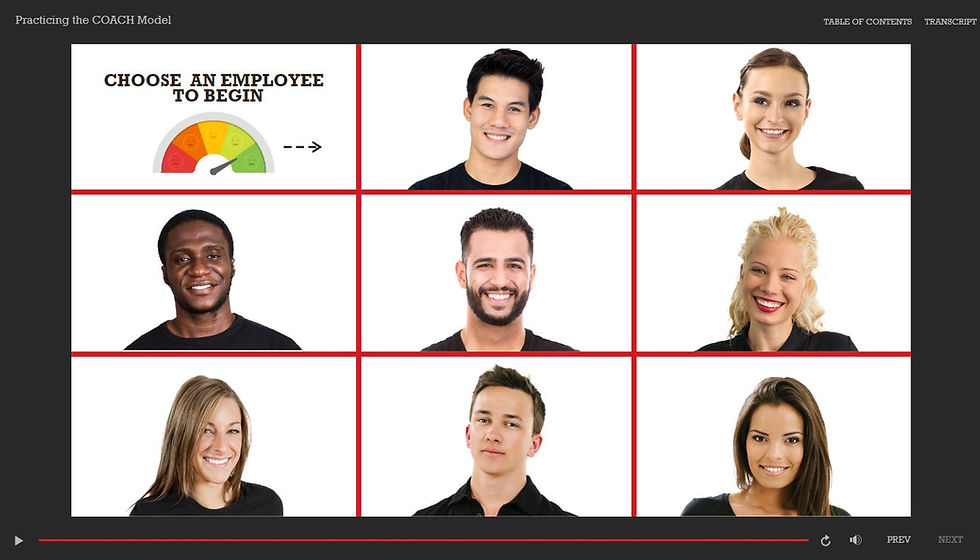
Applying what you have learned in an eLearning course increases learning retention. Period. Sound instructional design finds ways for learners to absorb the message through activities. Sound eLearning development and design incorporates imagery, graphics, animations, videos, audio, and more to
9. Prototype early to get agreement on look and feel.
Before developing the ALPHA version of a custom eLearning training course, we design a prototype of the course, so stakeholders can ensure that they understand and sign off on the look and feel of the course.
Ensuring that the stakeholders understand that this prototype design is what they can anticipate for the ALPHA is a great way to make sure the design meets brand standards and communicates the feeling they want from the get-go. eLearning courses build on themselves, so a prototype allows us to align and move forward without wasting time or money on changing 85 slides later, when we could have tweaked the concept when there were 5 slides.
10. Have a novice student take and try to break the course.
We do it in our internal QA for eLearning training. We all proofread and test our own work, but we need others who don't know what we were intending, and who have fresh eyes on it to try to break it so we can head off anything we didn't see at the pass.
11. Test for both mobile and the org's accessibility standard.
Our clients have a wider variety of accessibility standards for their custom eLearning projects. For example, most these days want closed captioning, but others require functionality for keyboard users. Some clients have a lot of mobile users and some have none. It's important that eLearning courses work for learners wherever they are, so test and plan for what is needed.
12. Have a post launch evaluation plan.
We design evaluation in our custom eLearning products. It's great to figure out ways to measure the difference the training is making for learners. Plan in advance how this evaluation will be done.
Use the tips above to create custom eLearning projects.
And remember the 5 P's.
Prior Preparation Prevents Poor Performance.
A little bit of preparation can really save a lot of missteps, as you navigate your way to the top of the eLearning summit.
Integrated Learning Services is here for you. Think of us as your sherpa to guide you over the mountain, while making the journey as painless as possible.


Comments